
Internet
The house is connected via Tadaam (5G network).
The Wi-Fi network name and password are displayed in the house.
If you have connection issues, simply restarting the box (button at the back) usually restores the signal. Please do not change the router settings.
Television
A large Daewoo Smart TV is mounted on the wall in the living room. It runs Android TV and gives access to all your favourite apps: Netflix, Prime Video, YouTube, live Tadaam TV for Belgian channels, and more. Log in with your own account or use the apps already installed. A second TV is available in the main bedroom.
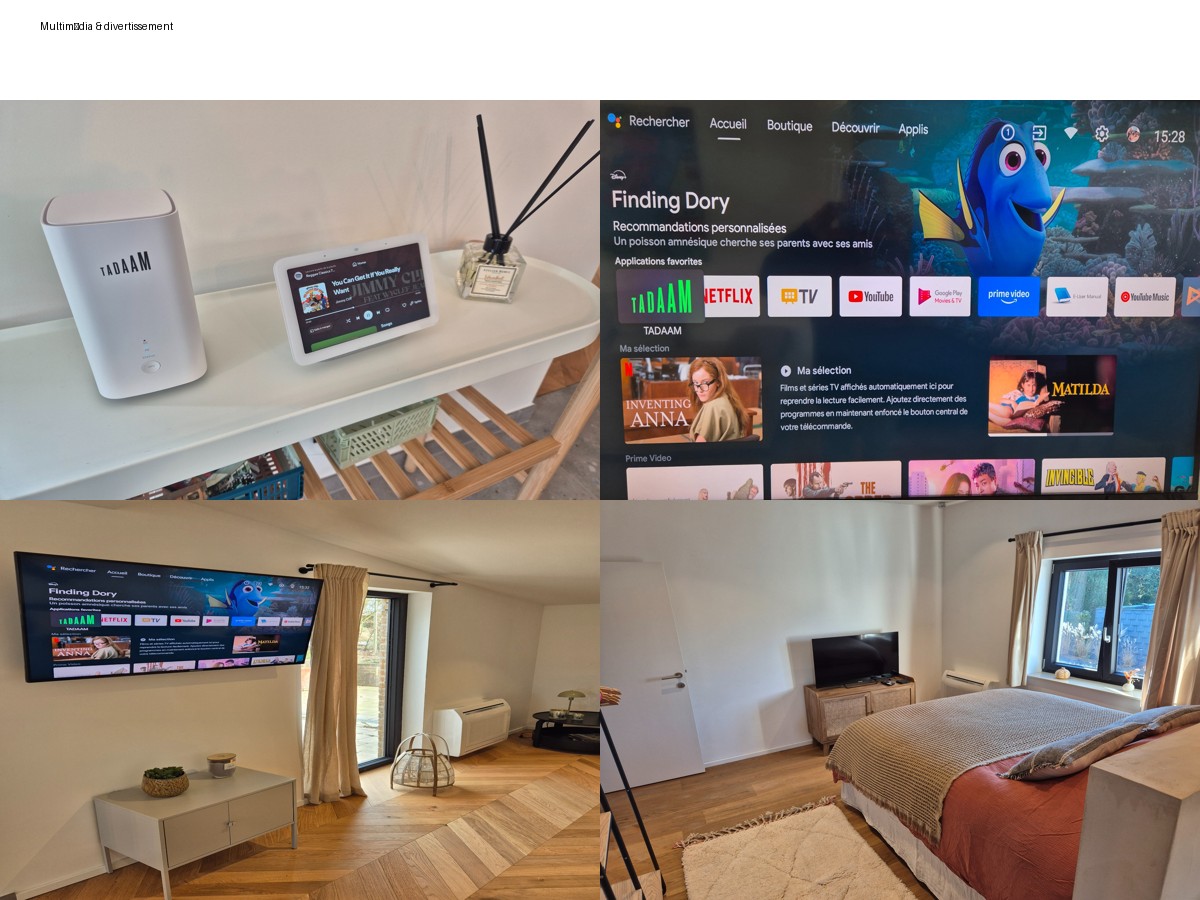
Google Home
A Google Home assistant is available in the living room for music, Spotify or voice commands.
Reconnecting the TV (Tadaam box)
If the screen shows “no signal” or the TV loses connection, this is usually the Tadaam box needing a restart:
- Unplug the Tadaam box’s power (cable at the back or on the wall).
- Wait 1 minute.
- Plug it back in and wait for the box to fully restart (1 to 2 minutes).
This solves the vast majority of cases. If the problem persists, send us a message — we’re reachable directly through the app or the booking platform.